

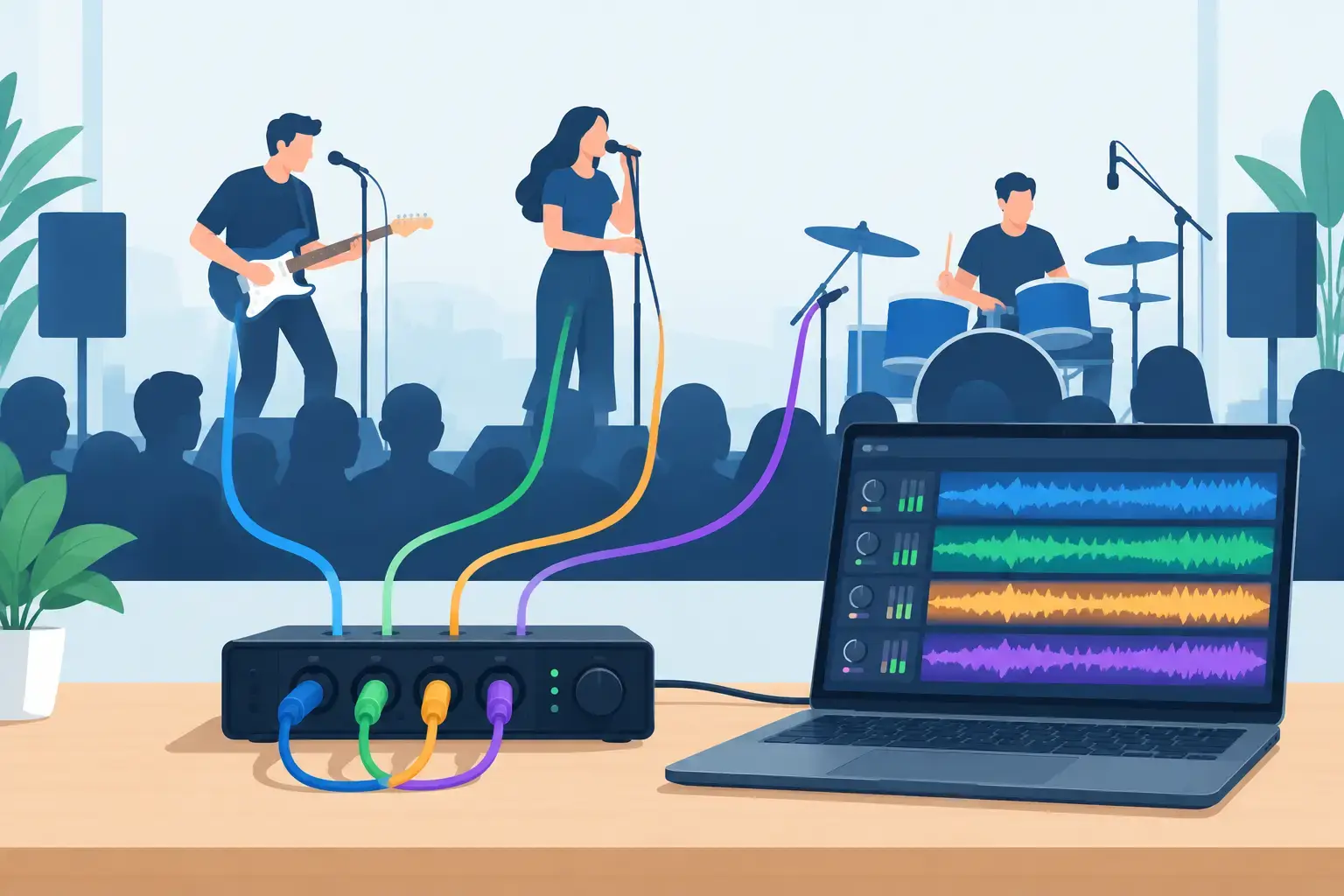
A great live take is rarely just one sound. It is the kick drum pushing the room, the breath before a vocal line, the guitar amp finding its edge and the tiny cues that keep a group locked together. Multi channel audio capture preserves those separate moments, so a performance can stay alive while gaining the control needed to shape it properly afterwards.
For bands, artists, podcasters and creators, that distinction matters. A single stereo recording can be exciting, immediate and perfectly right for some jobs. But once a vocal is buried, a cymbal is too bright or an interview guest is quieter than expected, there is very little room to fix it. Recording each source to its own track gives the session a future.
What multi channel audio capture actually gives you
Multi channel audio capture means recording multiple microphones, instruments or playback sources at the same time, each on a discrete track. A five-piece band might record drums across several channels, alongside bass, two guitars, lead vocal and guide vocals. A podcast could use one microphone per speaker, plus a separate track for a remote guest or sound effects. A filmed performance may add room microphones and a feed for timecode or guide audio.
The point is not to collect tracks for the sake of it. It is to make useful decisions later without asking performers to recreate the energy of the first take. You can rebalance a bass guitar, clean up a vocal pause, soften a close microphone or build a wider mix from room sound. That flexibility is especially valuable when the recording is heading towards release, social content, a live video or a broadcast edit.
There is also a practical advantage during the session. When every source arrives on its own channel, the engineer can check levels and identify problems quickly. A crackling lead, an overloaded preamp or a noisy keyboard power supply is much easier to spot before it becomes part of a combined recording.
Plan the capture around the performance
The best channel plan starts with the question: what does this need to become? A rehearsal archive, a release-ready single, a live session video and a livestream do not need exactly the same setup.
For a band recording a performance video, the priority may be natural communication in the room, dependable headphone monitoring and enough isolation to mix confidently later. For a solo vocalist recording over a produced backing track, fewer channels may be needed, but vocal detail and headphone balance become more critical. For a panel discussion, clear individual speech matters more than capturing the character of the room.
Before microphones go up, it helps to agree the arrangement, instrumentation and intended outcome. Are the vocals final or guide vocals? Will guitar amps be in the live room? Does the drummer need a click? Is the audio feeding a camera shoot or livestream at the same time? Small answers at the beginning avoid awkward compromises once everyone is ready to perform.
At Yougig, the benefit of a recording room alongside a dedicated mixing and editing space is that the capture can be designed as part of the whole production, rather than treated as a file to sort out later. The session can stay focused on performance, while the technical route remains clear.
More channels are not always better
It is tempting to assume that more microphones automatically mean a better recording. They do not. Every additional microphone introduces another source of spill, phase interaction and decision-making. A poorly placed extra mic can do more harm than a well-positioned pair.
Take drums. Close microphones can provide impact and control, while overheads capture the kit as a whole and room microphones bring scale and movement. Yet the relationship between those signals matters as much as the number of them. If the snare arrives at one microphone slightly later than another, the combined sound can become thin or smeared. Checking polarity, placement and timing early is far more effective than trying to repair phase issues later.
The same applies to guitar amps, acoustic instruments and group vocals. A small, deliberate setup often sounds more confident than a room crowded with microphones that were never part of a clear plan.
Keep spill useful, not accidental
Spill is the sound of one source entering another microphone. It is often described as a problem, but that is only half the story. Spill is part of why a live band can feel like a band. The drummer heard through a guitar microphone, or the vocal ambience caught in the room mics, can add a sense of shared space that is impossible to manufacture convincingly.
The aim is to control spill rather than eliminate it completely. Place louder sources thoughtfully, use microphone direction to your advantage and avoid pointing a vocal microphone directly at cymbals or monitor speakers. Give performers enough separation to keep sounds manageable, but not so much that eye contact and musical instinct disappear.
Headphones can help when guide tracks, click tracks or playback are involved. The mix in those headphones needs attention. If a singer cannot hear the lyric cue, or a bassist gets too much click and not enough kick drum, the take will suffer even if the recording chain is flawless. A good cue mix is a performance tool, not an afterthought.
Record cleanly, leave room to move
Digital recording is forgiving in some ways, but it cannot rescue clipping. A signal that hits the limit too hard may distort permanently, especially on sharp vocal peaks, snare hits or unpredictable brass and percussion. Sensible gain staging leaves headroom for those moments while still capturing a healthy signal.
That does not mean recording everything timidly. It means setting levels with the loudest realistic section of the song or programme in mind. Ask the vocalist to sing the biggest chorus. Let the drummer play the ending. Have the presenter deliver their most animated line. Then set the input gain so the system has space to breathe.
Consistent labelling is equally unglamorous and equally valuable. Tracks named clearly at the point of capture make editing and mixing faster: kick in, snare top, bass DI, bass amp, lead vocal, room left. When a project includes video, clear naming helps the audio and picture workflow stay organised across revisions.
Capture sound that will meet the picture
When audio is being recorded alongside multiple cameras, it is worth deciding which source will guide the edit. Camera microphones are useful for reference, but they are rarely the sound you want audiences to hear. A properly recorded multitrack session gives the editor a clean master mix, while reference audio helps align shots and performance moments.
For a livestream, the challenge is different again. The live mix must work immediately, yet recording isolated tracks remains worthwhile. It gives you a route to create a stronger replay, highlight clip or full performance film afterwards. The livestream can be spontaneous; the archive does not have to remain rough.
This is where workflow matters. Recording at a consistent sample rate, keeping timing stable and making sure each camera has usable reference sound saves hours in post-production. It also reduces the risk of the familiar problem where picture looks right at the start but gradually drifts away from the music.
The mix begins before the red light
Multi channel audio capture is often discussed as a technical service, but its real value is creative. It lets a singer commit to a take knowing the vocal can be shaped later. It lets a drummer play with force without making every other instrument disappear. It lets a producer retain choices while protecting the momentum of the room.
The trade-off is preparation. More tracks require more microphones, inputs, monitoring and care in the edit. For a simple acoustic performance, a beautifully placed stereo pair may be the more honest and efficient choice. For a full band, a filmed session or anything likely to be mixed for release, separate channels are usually the safer investment.
Bring the performance you want people to feel, then give it enough space to be finished well. The best capture does not make a session feel technical. It makes everyone in the room forget the technology is there.