

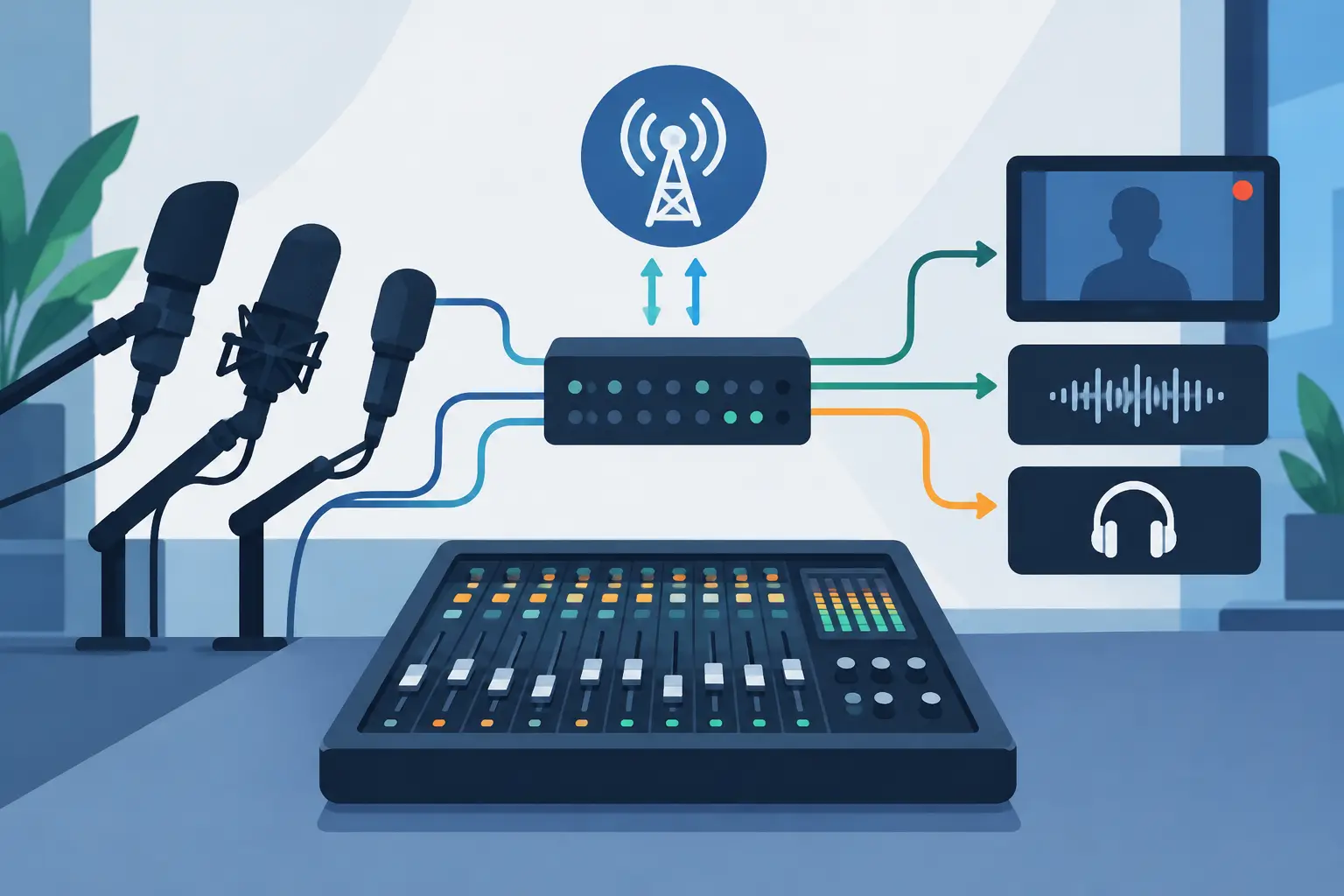
A live session can look beautifully relaxed while a surprising amount of work happens below the surface. Broadcast audio routing is what lets a singer hear the band comfortably, the camera team capture clean sound, the producer communicate with performers, and an online audience receive a balanced programme mix – all at the same time.
For a rehearsal, it may be enough to put microphones through a PA. For a filmed performance, remote interview or livestream, the question changes: who needs to hear what, and where does each version of that sound need to go? Getting that right before the red light comes on protects the performance itself.
What broadcast audio routing actually does
Audio routing is the planned journey of every signal through a session. A vocal microphone might travel to the recording system, the performers’ headphone mix, the control-room monitors and a dedicated broadcast mix. Those destinations can receive the same source, but they should not always receive the same balance.
That distinction matters. A drummer may need plenty of click and bass in their headphones. A presenter might need their guest louder than their own voice. The livestream audience needs speech that is clear and even, with music supporting rather than swamping it. Meanwhile, the multitrack recording should preserve individual microphone channels so the material can be mixed properly afterwards.
The routing plan also covers talkback, cue feeds, playback, phone or video-call contributors, sound effects, pre-recorded clips and return audio from a streaming platform. In a multi-camera shoot, it may include a clean programme feed for cameras and a separate reference feed for sync. None of this is glamorous, but it is what stops a polished session becoming a rescue job in post-production.
Start with destinations, not equipment
The easiest way to organise a session is to list the people and systems that need sound before choosing channels, buses or software settings. This keeps the plan centred on the production rather than on a particular desk or interface.
A typical live performance might need a house or rehearsal-room mix, two or more separate headphone mixes, multitrack recording, control-room monitoring, a stereo livestream programme, a camera scratch feed and engineer talkback. A presenter-led interview may instead need individual headphone feeds, a clean mix-minus for a remote guest, a confidence monitor feed and isolated recordings of every voice.
A mix-minus deserves special attention. It sends a remote contributor the programme mix minus their own returning voice. Without it, they hear an echo or delayed repeat of themselves, which makes natural conversation almost impossible. The same principle applies when feeding a caller, video platform or outside broadcast connection.
Once the destinations are clear, name them plainly. ‘Livestream programme’, ‘Vocalist cues’, ‘Remote guest minus’ and ‘Camera reference’ are far better labels than ‘Bus 3’ or ‘Aux B’. Clear labelling is not admin for its own sake. During a quick changeover, it lets everyone make confident decisions without guessing.
Build the programme mix separately
One common mistake is sending the room mix straight to the broadcast. A room mix is designed to make performers feel good in a physical space. It may carry more kick drum, guitar amp or stage volume than a listener at home needs. The room itself fills in some frequencies that a livestream cannot.
A dedicated programme mix gives the engineer control over vocal intelligibility, stereo image, compression and the relationship between music, speech and playback. It also makes it possible to mute stage chatter, retune the balance between songs, and bring in a presenter mic without disturbing the performers’ monitors.
For music, start with the vocal or main instrument as the anchor, then build the band around it. For spoken content, favour consistency over theatricality. A presenter should not disappear when they turn their head, and a guest joining remotely should sit at a similar perceived level to the people in the room.
This is where experienced listening beats a ‘set and forget’ approach. A delicate acoustic performance may need very light processing and plenty of natural dynamics. A high-energy band stream may benefit from firmer level control. The right choice depends on the genre, platform, listening environment and how much time there is for soundcheck.
Plan monitoring so performers can perform
Headphone mixes are part of the performance, not a technical afterthought. If a vocalist cannot hear the pitch reference, or a drummer is fighting an over-loud guitar in their ears, the session will feel harder than it needs to.
Give performers a sensible starting balance, then ask focused questions: Is the vocal clear? Is the click comfortable? Do you need more of yourself, less of anything else, or a little more room sound? Small changes early are kinder than repeatedly interrupting a take.
Independent monitor mixes are especially useful when a session includes different roles. A vocalist often wants more voice and reverb, while a bassist may want more kick and less vocal. For a filmed performance, the camera operator does not need the same feed as the band. They may only need a modest reference signal to confirm what is happening on stage.
Where possible, keep monitor processing independent from the programme path. An artist may enjoy a generous reverb in headphones, but that does not mean the broadcast should receive it. Separating these decisions leaves more control for the final sound.
Protect the recording while serving the live output
A broadcast feed is usually mixed in real time. A multitrack recording is your insurance policy and your opportunity to make the work travel further. Recording isolated microphones and instruments means a brilliant performance can become a release-ready track, a social edit, a video soundtrack or a future live EP.
Keep the recording path as clean and direct as practical. Avoid printing unnecessary limiting or corrective processing unless it is a deliberate production choice. Monitor through treatment if needed, but retain options for the mix stage.
It is also worth recording the final stereo programme feed. That file is a useful reference for edits, quick turnarounds and checking exactly what the audience heard. Just do not treat it as a substitute for the multitrack capture.
At Yougig, this joined-up approach is particularly useful for artists who want to rehearse, record and film in one creative stretch. The live room, digital mixing workflow and multi-camera production can be planned as one system rather than a collection of separate jobs.
Test the failure points before the audience arrives
The strongest routing plan still needs a proper line check. Test every input, every monitor send and every output destination. Confirm left and right channels, microphone polarity, playback level and talkback. Listen on the headphones a performer will actually use, not only on control-room speakers.
For livestreams, test the complete path, including the encoder or streaming computer. Check that the programme audio is arriving at the intended level, that no channel is doubled, and that a remote guest does not hear a delayed loop. If the platform applies its own loudness handling, leave enough headroom to avoid harsh distortion when the performance gets louder.
Have a simple fallback ready. A spare vocal microphone, a backup playback route, a second way to hear programme audio and a clearly marked emergency mute can turn a potentially visible problem into a brief pause. Complex systems are valuable when they create options, not when they create confusion.
A calm routing plan makes better content
The purpose of broadcast audio routing is not to make a session feel technical. It is to remove distractions so musicians can lock into a groove, presenters can hold a real conversation, and the audience can stay with the moment.
Map the destinations, build a separate programme mix, look after the headphone experience and record clean sources for later. Then leave enough time to listen. When the routing is doing its job, nobody watching will think about it at all – they will simply hear a performance worth staying for.