

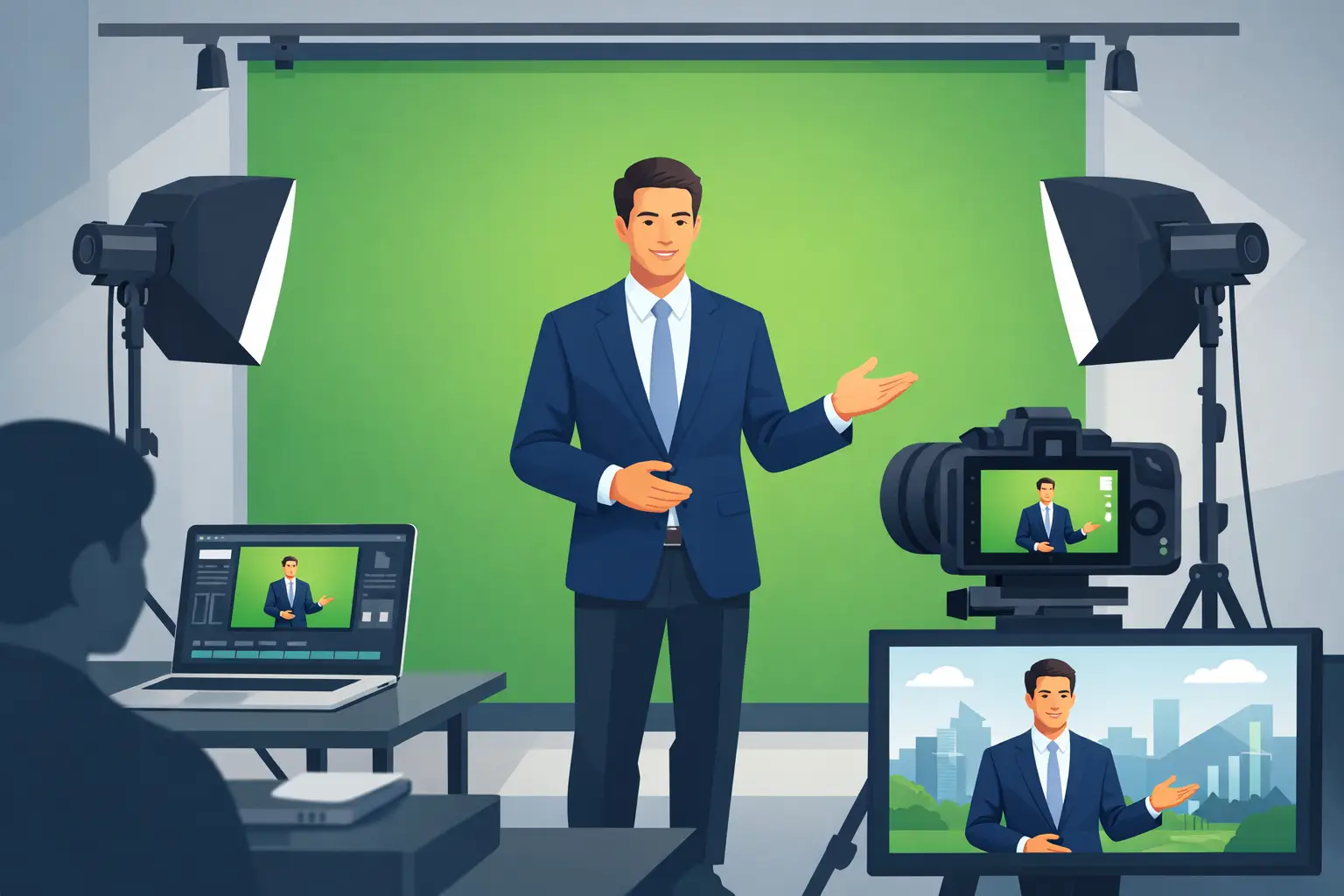
A presenter standing in front of a green screen is not the finished picture. They are carrying the picture. If the background, eyeline, lighting and delivery do not agree, even a sharp 4K image can feel like a cut-out pasted into a slide deck. Green screen filming for presenters works when the technical setup gives the person on camera enough certainty to speak naturally, move with purpose and connect with the viewer.
That matters whether you are recording an internal company message, a course, a product film, a social series or a broadcast-style interview. The green screen creates options in post-production, but the presenter still needs a believable place to stand.
Green screen filming for presenters starts before the camera rolls
The best results are decided at the planning stage. Before choosing a virtual set, ask what the presenter needs to communicate and where the finished video will appear. A short vertical clip for social channels has different framing, graphics and pace from a widescreen training video or a livestream segment.
Think about the intended background early. Will it be a branded graphic, a newsroom-style environment, a product demonstration, a location plate or moving footage? This affects wardrobe, camera position and how much room the presenter needs. A background with strong perspective, for example, needs a camera angle that feels plausible. If the virtual room appears to look down from eye level, filming the presenter from a very low angle will immediately look wrong.
It also helps to decide how much of the body will be in shot. A chest-up piece to camera is efficient and gives the presenter a contained space to work in. A wider frame allows gestures, walking and interaction with on-screen graphics, but it needs more screen coverage, more careful lighting and stronger awareness of where graphics will sit.
At Yougig, the intimate green-screen studio is designed for this kind of presenter-led work: a focused space where the production can stay calm while camera, sound and background are handled as one workflow.
Light the screen and the presenter separately
Green screens are forgiving only when they are evenly lit. The aim is a consistent green surface, without bright hotspots, dark corners, wrinkles or hard shadows. It is not about blasting the screen with as much light as possible. Too much light can bounce green spill back onto skin, hair and clothing, making the eventual key harder to clean.
The presenter needs their own lighting setup, shaped for their face and suited to the background. A soft key light, fill where needed and a little separation from the screen usually create a far more convincing result than flat, front-on lighting. The precise approach depends on the person, their complexion, hair, glasses and the mood of the film. A bold, dramatic promotional piece may suit more contrast; a clear instructional video usually benefits from a more open, approachable look.
Distance is your friend. Keeping the presenter a sensible distance from the green backing reduces shadows and reflected green light. It also gives the camera more room to separate the subject from the background. In a compact studio, this is one reason why planned framing is so valuable: it lets the crew use the available space intelligently rather than forcing a wide shot that compromises the key.
Hair deserves particular attention. Fine hair, curls and flyaways can key beautifully, but only with clean exposure and controlled spill. Glasses can work too, although reflections in the lenses need to be managed. A slight adjustment to light position or camera height often solves what looks like a major problem.
Choose wardrobe for the key, not just the brand palette
The obvious rule is not to wear green. The less obvious rule is to avoid highly reflective fabrics, tiny repeating patterns and anything that creates distracting shimmer on camera. Green jewellery, green-tinted spectacles and shiny material can all produce unexpected issues.
That does not mean every presenter has to wear plain navy. Texture and colour are useful on screen, particularly when the final background is restrained. The key is contrast. Choose clothing that separates the presenter from both the green screen and the final scene. If the virtual background is pale and minimal, a pale top may make the person look washed out even though the key itself is technically clean.
Bring a couple of options if practical, then check them through the camera. What looks right in a mirror can behave very differently under studio lights.
Give the presenter something real to respond to
A green-screen session can become stiff when someone is asked to talk to an empty wall while imagining charts, footage and virtual scenery. Good direction replaces guesswork with clear reference points.
Mark the floor so the presenter knows where to stand. If graphics will appear beside them, establish which side they should leave clear and where they should look. For a direct-to-camera message, the lens is the audience. For an interview or a more conversational format, an off-camera eyeline may be more appropriate. Switching between the two without a reason can make a finished edit feel unsettled.
Where possible, use a monitor or a simple visual guide. The presenter does not need to see every final graphic in full detail, but it helps to know the scale and position of the elements they are introducing. If they are referring to three points on a chart, rehearse the gestures. A hand that lands accurately beside a graphic looks deliberate; a vague wave through empty space looks like it belongs nowhere.
Scripts benefit from the same realism. Write for speech, not for a page. Shorter sentences are easier to deliver cleanly, especially when a presenter is also remembering marks, eyelines and graphic cues. A teleprompter can support a tightly scripted piece, but it should be set at a comfortable pace. If the delivery becomes too fixed, the film can lose the warmth that made a human presenter worthwhile in the first place.
Movement is useful, but it raises the bar
A stationary presenter is not automatically boring. Often, a well-composed medium shot with purposeful gestures is the strongest choice. Movement should add meaning: stepping towards a point, turning to introduce a visual, or changing position between sections.
Walking across a green screen creates more variables. The camera may need to track, the lighting must remain even, and the virtual background needs to support that movement. It can look excellent for a larger campaign or a broadcast-style piece, but it may be unnecessary for a concise explainer. The right production choice is the one that serves the message, not the one with the most moving parts.
Capture clean sound before chasing visual tricks
A convincing background cannot rescue poor audio. Viewers will often forgive a simple visual treatment if the voice is close, clear and well controlled. They are much less patient with echo, inconsistent levels, clothing rustle or a microphone that sounds distant.
For presenter filming, microphone choice depends on the format. A discreet lavalier microphone is useful when the frame is wider or the presenter needs to move. A boom microphone can provide a natural, polished sound for seated interviews or more controlled shots. Either way, test before the proper take. Ask the presenter to speak at their real delivery level, not in a quiet soundcheck voice.
Record room tone too. That short capture of the studio’s natural background sound can make editing smoother when lines are tightened or sections are rebuilt. It is a small production habit that saves time later.
Plan the edit around the finished viewing experience
Green-screen production is often discussed as though keying is the main event. A clean key matters, but the finished film is made in the edit. The background needs to match the camera image in colour, contrast, sharpness and depth. If it is too crisp, too bright or too busy, the presenter can feel detached from it.
Build breathing room into the composition. Graphics should support the speaker rather than compete with them. This is especially important for films that may be viewed on a phone, where small captions and dense charts become difficult to read. Captions, titles and lower-thirds need safe positioning so they remain clear across different platforms and aspect ratios.
A multi-camera setup can also add energy without demanding constant movement from the presenter. A wider angle establishes the scene, while a closer angle brings emphasis to key statements. Used with restraint, the edits feel intentional rather than flashy.
Before sign-off, watch the film with sound on and off. With sound on, listen for pace, clarity and moments where the voice needs room. With sound off, check whether the visual hierarchy still makes sense. If a viewer cannot tell where to look, simplify the frame.
The strongest green-screen presenter films do not make viewers admire the technology. They make the message feel clear, confident and present. Give your presenter a well-lit space, a proper sound path and a background that has been designed around their delivery, and the screen behind them becomes exactly what it should be: invisible support for a performance people want to watch.